
What's new
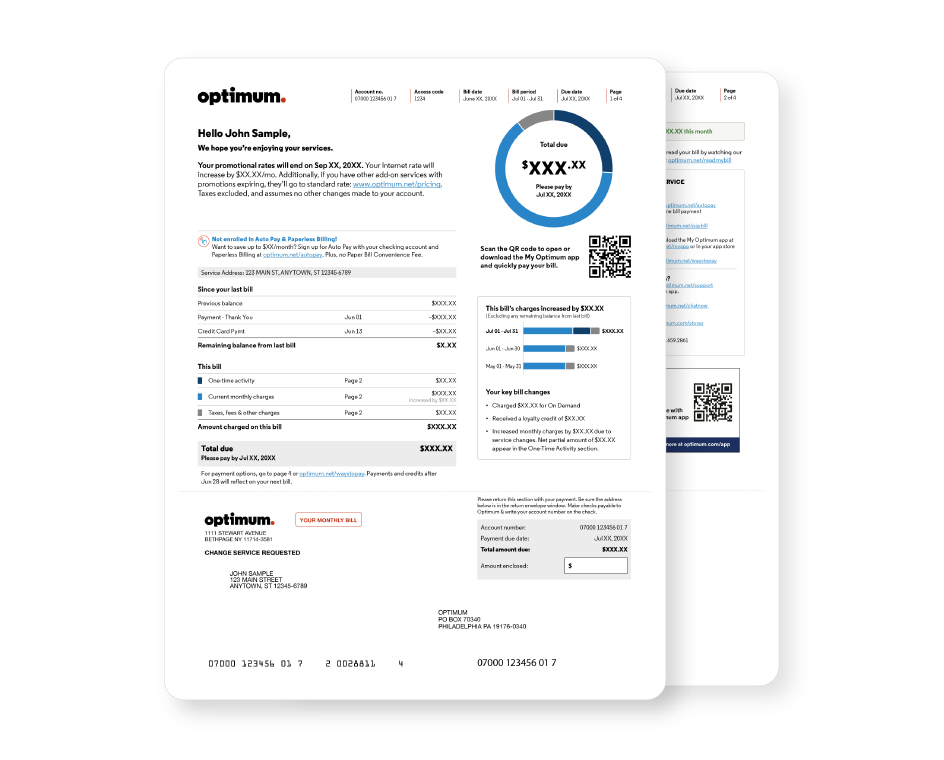
Your bill now has a fresh new look with a cleaner layout and clearer sections, including:
Important account messages, right up front
A visual snapshot of your charges, total, and due date
A QR code for quick access to the My Optimum app
Your Auto Pay and Paperless Billing status at a glance
A clearer summary of key changes
A more organized view of partial month charges and credits
How to read your bill
Watch this quick video for a step-by-step walkthrough of your new bill.
FAQs
We've given your bill a fresh new look to make it easier to read and understand, with clearer sections and a more organized layout.
No, your account number is not changing. Your account number and access code appear at the top of each page of your bill for easy reference.
You can find your total amount due and due date in three places on page 1 of your bill: in the visual snapshot, above the payment slip, and on the payment slip.
Each color matches a category of charges listed in the "This bill" section, making it easy to see how your charges add up to your total.
No. This redesign does not affect your services or rates.